
EcoHome AI
Smarter homes start with clearer data.
Role: UI + Product Designer · Type: Concept Project · Duration: 3 Months
OVERVIEW
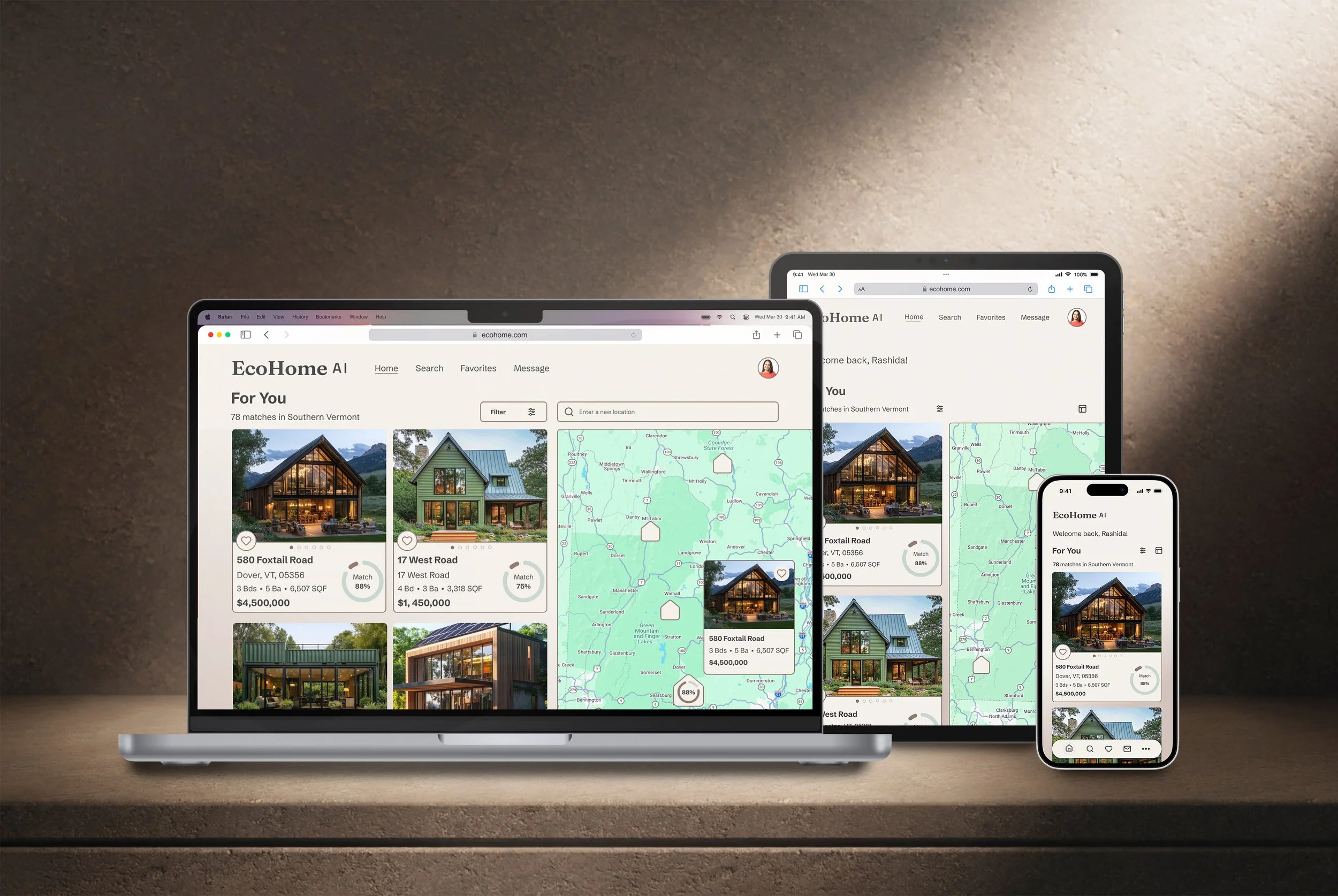
EcoHome AI is a sustainability-focused property discovery platform designed to help buyers evaluate homes with confidence. This end-to-end concept project spans mobile, tablet, and desktop, delivering a consistent, responsive experience built on upfront user research.
Four core principles shaped the design from day one:
Clarity Over Complex Data: Sustainability ratings require plain-language context to be truly useful.
Scannable Comparisons: Buyers need high-level scannability to compare properties without opening full listings.
Proactive Personalization: Curating preferences early prevents cognitive overwhelm.
Predictable Architecture: Consistency in data grouping builds immediate user trust.
Rather than treating these as post-project conclusions, I treated them as the strategic foundation for every wireframe, pattern, and decision.
ROLE + RESPONSIBILITIES
ROLE
Solo UI / Product Designer
DURATION
3 Months
RESPONSIBILITIES
End-to-end UX/UI · Responsive design across 3 breakpoints · Sustainability scoring framework · Component + grid system · Onboarding flows · Micro-interactions · Usability testing
BREAKPOINTS
Mobile · Tablet · Desktop
TOOLS
Figma · FigJam · Miro · Adobe Creative Suite
THE PROBLEM
Buying a home is one of the most significant financial decisions a person will ever make, yet the discovery process introduces massive cognitive friction. Real estate platforms routinely overwhelm buyers with dense listings, scattered data, and technical jargon. Without plain-language context, sustainability metrics feel opaque, forced trade-offs require exhausting cross-comparison, and fragmented information prevents buyers from making decisions with confidence.
KEY DESIGN DECISIONS
Personalization as the product, not a feature.
Rather than letting an algorithm dictate the feed, EcoHome AI gives users control over their data inputs. Users select their core property priorities and baseline sustainability knowledge, ensuring the interface serves relevant context from day one. An AI match percentage is only valuable if users trust that it mirrors their actual intent.
Why
During usability testing with five participants, this sense of control resonated immediately. Once participants realized the system directly adapted to their inputs, the majority stated they would rely on the AI match percentage to prioritize listings. However, testing also exposed a major flaw: the original accordion-style onboarding form — intended to streamline filtering — created massive cognitive friction and a high drop-off rate. This insight became the direct catalyst for a complete onboarding overhaul.
Onboarding built around one question at a time.
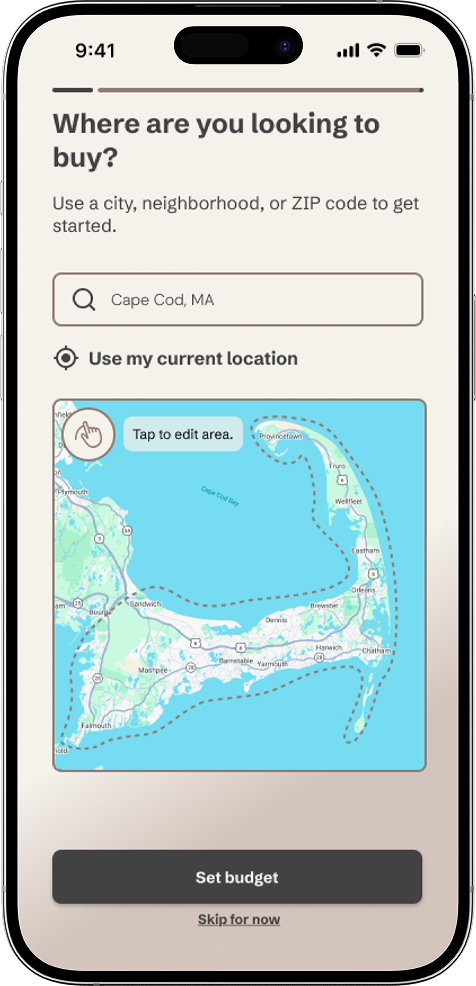
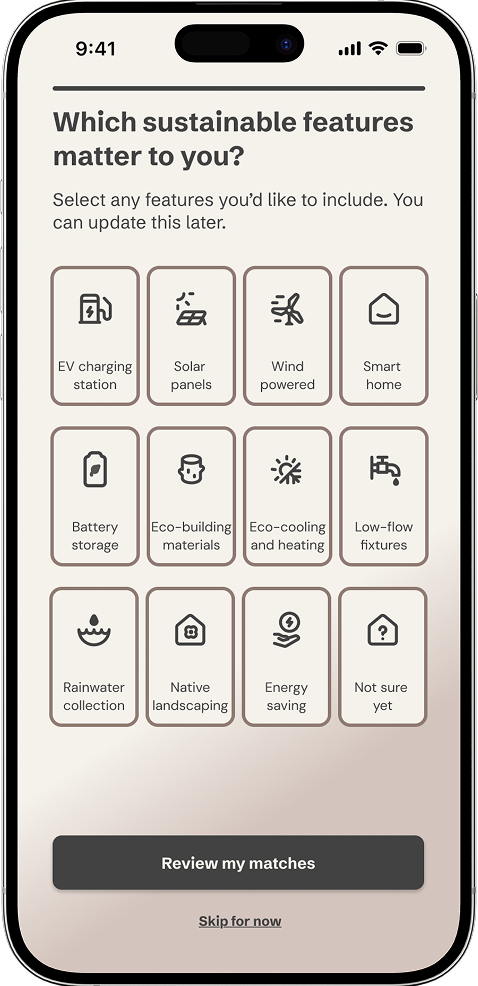
Early testing proved that users weren't skipping onboarding out of disinterest; they were escaping a dense, single-page layout that felt overwhelming. I dismantled the accordion structure and rearchitected the flow into six focused screens, each requiring a single, clear decision. The objective was to minimize interaction cost per screen, making the data collection process feel effortless.
Why
Following the redesign, onboarding completion climbed to 70%. For the remaining 30% who opted to "Skip for Now," the architecture ensures they aren't penalized. Because every onboarding selection is connected to the main filter system, preferences remain fully editable on the fly. Skipping the flow never means starting from scratch.
A color palette designed around listing photos.
Rejecting the predictable "eco-green" aesthetic was a functional necessity, not just a stylistic preference. Because real estate platforms rely heavily on user-generated property photography, the interface needed to recede. A neutral, earth-toned palette ensures the UI never competes with colorful listing photos, eliminating visual noise on data-dense screens.
Why
Testing revealed an unexpected connection between visual restraint and perceived trust. When asked about the homepage, multiple participants unprompted noted that the understated palette felt calmer than traditional real estate apps — feedback that proved visual restraint directly enhances perceived data credibility. A design principle I'll carry forward intentionally.
RESEARCH
Benchmarking legacy platforms like Zillow, Redfin, HotPads, and Trulia confirmed a critical gap: while these industry leaders excel at geographic search and navigation, they consistently rely on dense, unformatted text blocks to communicate complex property data. Rather than reinventing familiar search conventions, I adopted industry-standard navigation patterns and focused design effort entirely on data visualization — replacing text-heavy spec sheets with a structured icon-and-label hierarchy optimized for rapid scanning without sacrificing data fidelity.
USER PERSONAS
To test the elasticity of the interface, I developed two personas on opposite ends of the buyer spectrum. The primary persona represents the highly intentional, green-focused buyer. The secondary acts as a critical edge case: a traditional buyer with minimal interest in eco-metrics. Designing for both ensured EcoHome AI remains a powerful, intuitive real estate tool even when sustainability isn't the user's primary driver.
CORE USER FLOWS
Three core user flows form the operational backbone of EcoHome AI. To ensure these flows were logical before moving into high-fidelity UI, I utilized ChatGPT to stress-test the branch logic of each path, preemptively identifying edge cases and reducing interaction costs before testing.
Setting Up + Adjusting Property Criteria
Property criteria setup deliberately mirrors real estate industry patterns found in existing platforms. Rather than introducing a novel pattern during a high-friction onboarding moment, I carried familiar models forward and streamlined them.
Why
Every onboarding selection is dynamically tethered to the main property filter. This allows users to fluidly refine their preferences at any point during active browsing without ever being forced to re-enter a formal setup flow.
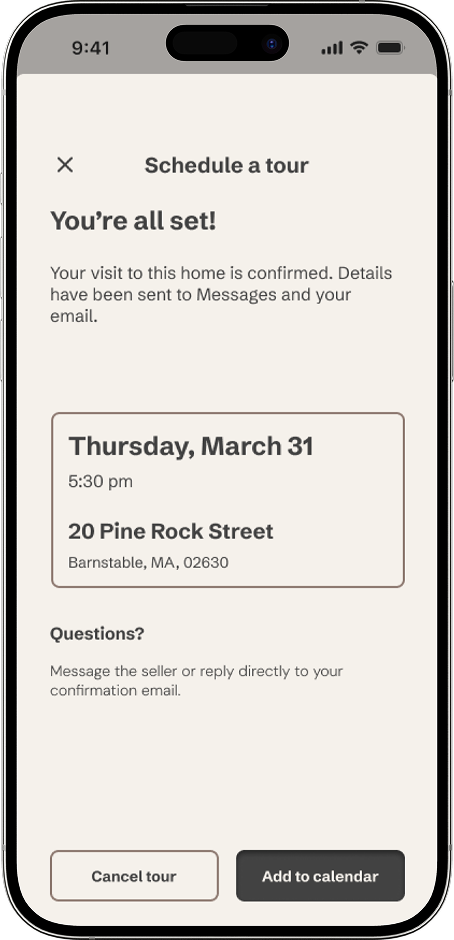
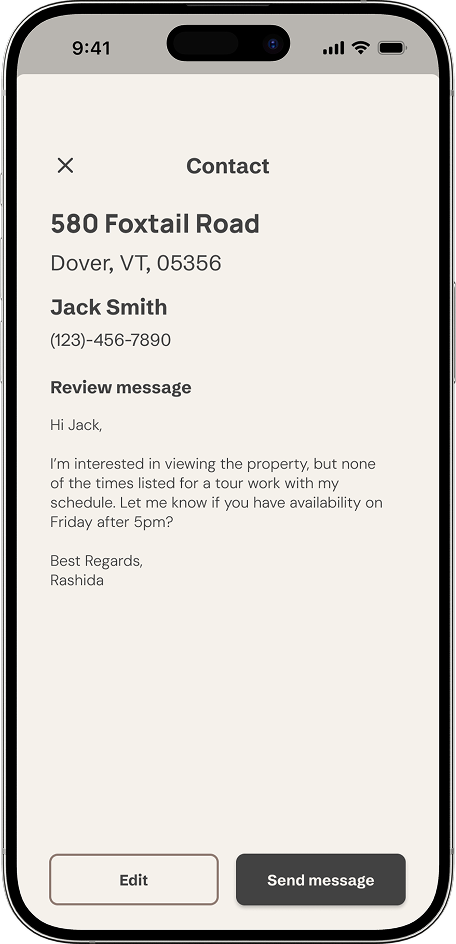
Contacting a Seller + Scheduling a Tour
Standard real estate contact forms lack nuance, forcing users into rigid fields when they have complex questions. To solve this, I designed a chat-based interface that provides a direct, conversational line to sellers.
Why
Because high-intent communication often happens on the move, the message thread is cross-linked with both parties' external email. Replies are fully accessible outside the platform, allowing the conversation to continue seamlessly without requiring a login.
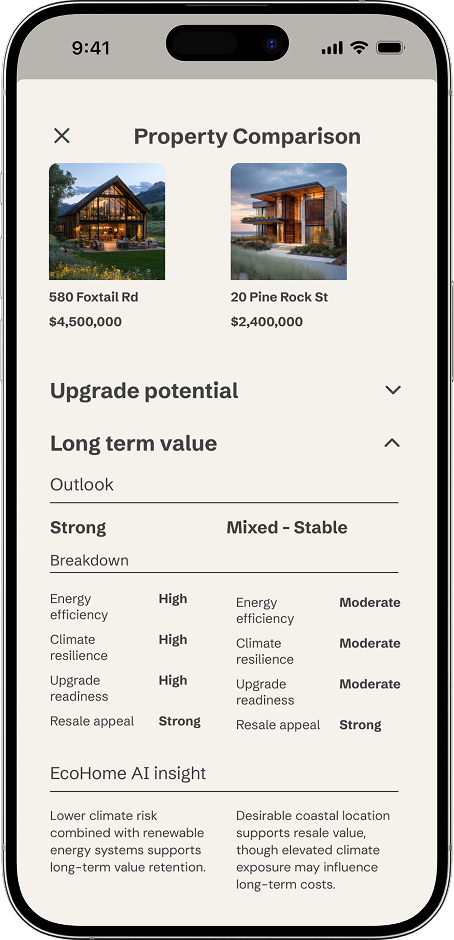
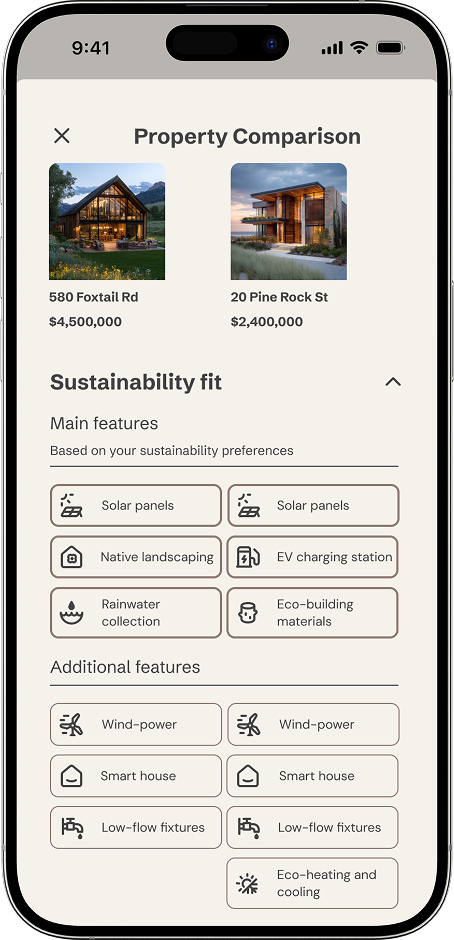
Favoriting + Comparing Properties
Competitive research consistently highlights bottom sheets as the optimal pattern for in-context comparison. Redirecting users to a completely separate page breaks browsing momentum at the exact moment they are narrowing down their options.
Why
The bottom sheet keeps users anchored to their current search view while surfacing structured, side-by-side property data progressively. This reduces cognitive overwhelm without stripping away critical data.
WIREFRAMES
I started with pen-and-paper sketching to lock down structural hierarchies before moving into Figma. Three core screens — For You, Home Listing, and Property Comparison — anchored the entire system. I evolved these layouts through low, mid, and high-fidelity stages with one consistent priority: resolving the information architecture before applying visual polish. By establishing a unified responsive grid at mid-fidelity, I ensured layouts scaled seamlessly across mobile, tablet, and desktop simultaneously — treating responsive behavior as a core structural constraint rather than an afterthought.
For You
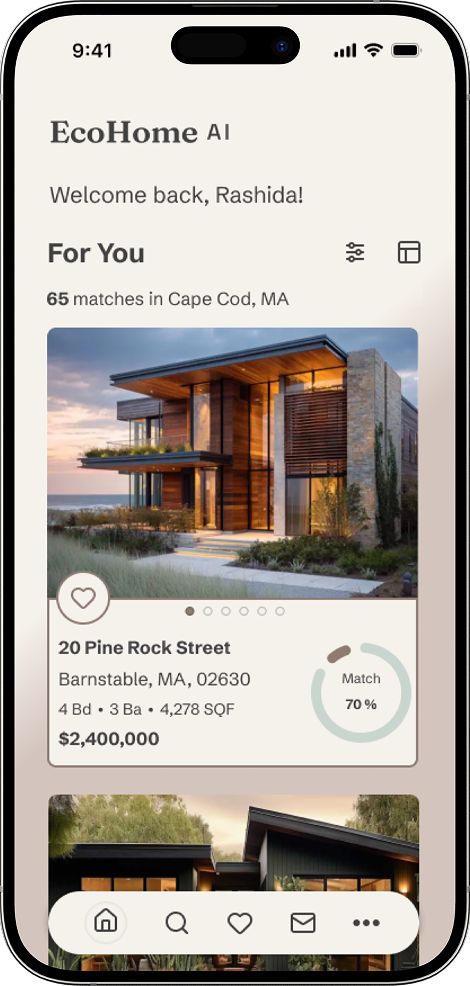
The For You page establishes the platform's core value proposition from the first screen, serving an AI-curated property feed with an immediately scannable match percentage on every listing card. One of the primary visual challenges was calibrating the ideal card height — the image container needed to showcase uncropped, user-generated photography to maintain a premium feel without pushing crucial data below the fold. Beyond layout, this screen also absorbed a major scoping pivot during wireframing. I made the strategic decision to scope out an initial renovator use case — which included contractor discovery and remodeling cost projections — due to timeline constraints. Narrowing focus exclusively to first-time buyers allowed me to fully realize a cohesive discovery experience rather than delivering a fragmented MVP across two distinct user types.
Home Listing
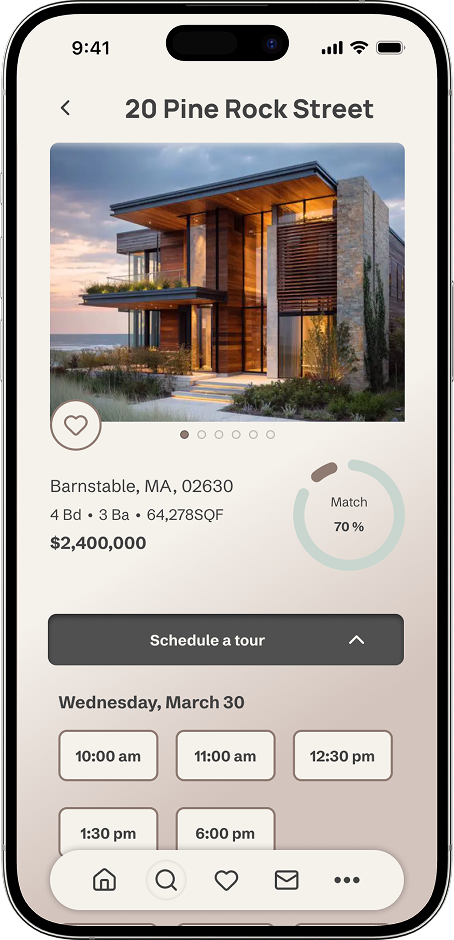
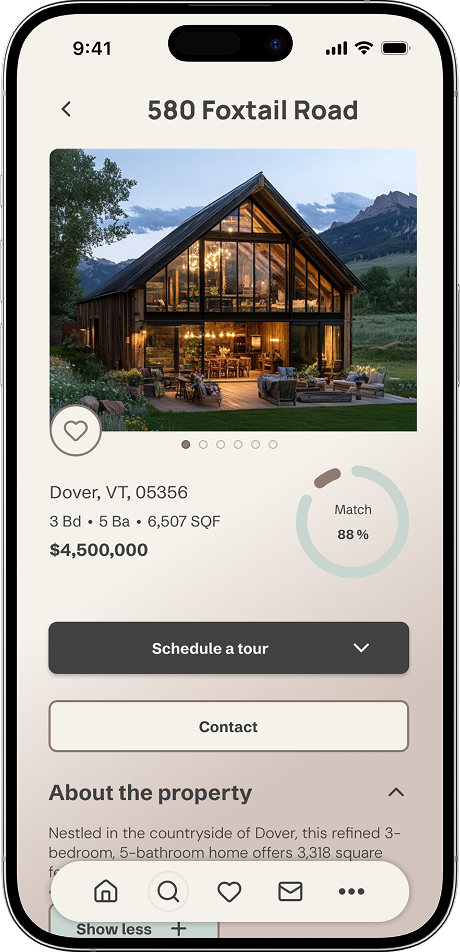
The property detail page presented the most information-dense layout of the entire project, requiring careful prioritization of complex sustainability metrics, utility cost estimates, and standard real estate specs. To prevent cognitive overload, I relied on a system of progressive disclosure. Organizing data into intuitive, collapsible sections kept the main interface clean and approachable for casual browsers, while ensuring deep-dive data and granular technical specs remained instantly accessible for high-intent buyers.
Property Comparison
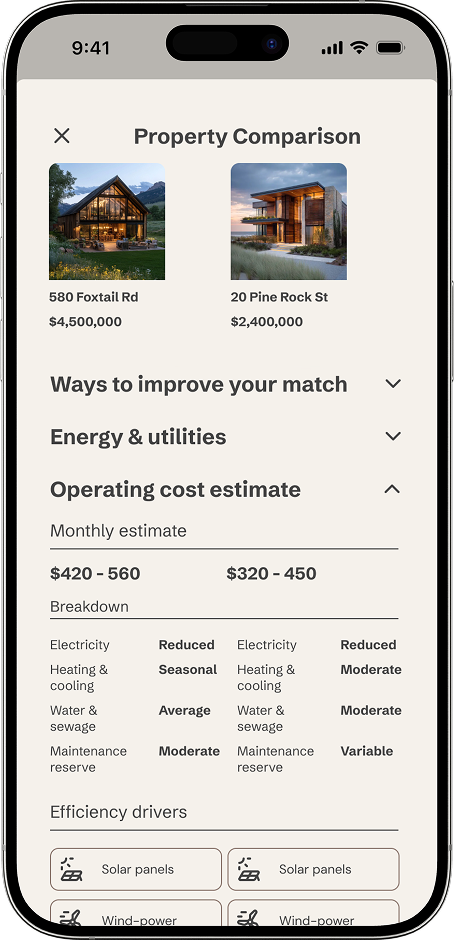
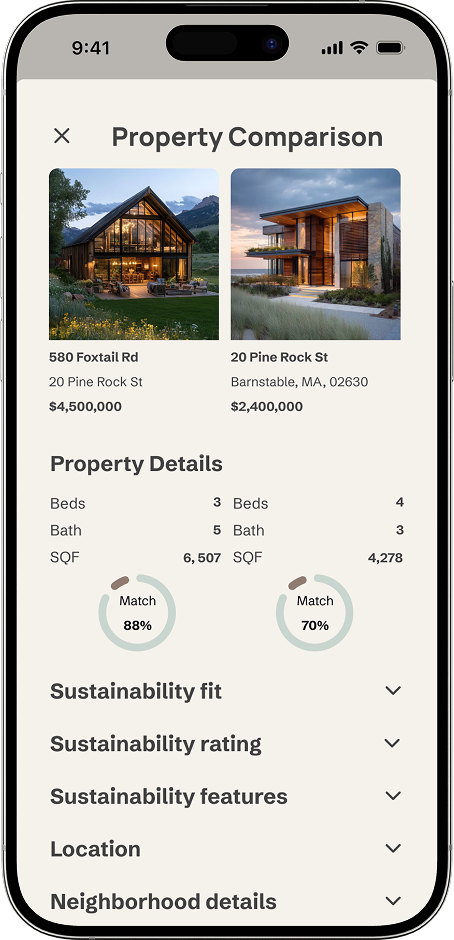
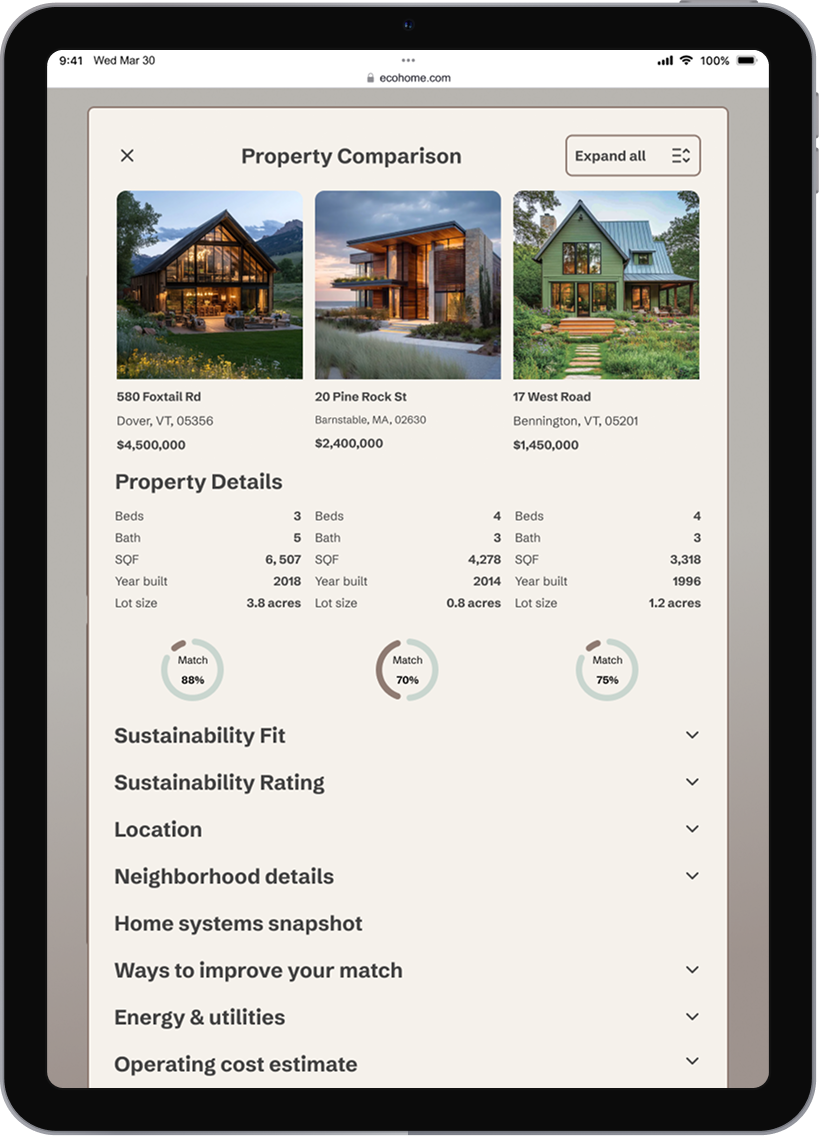
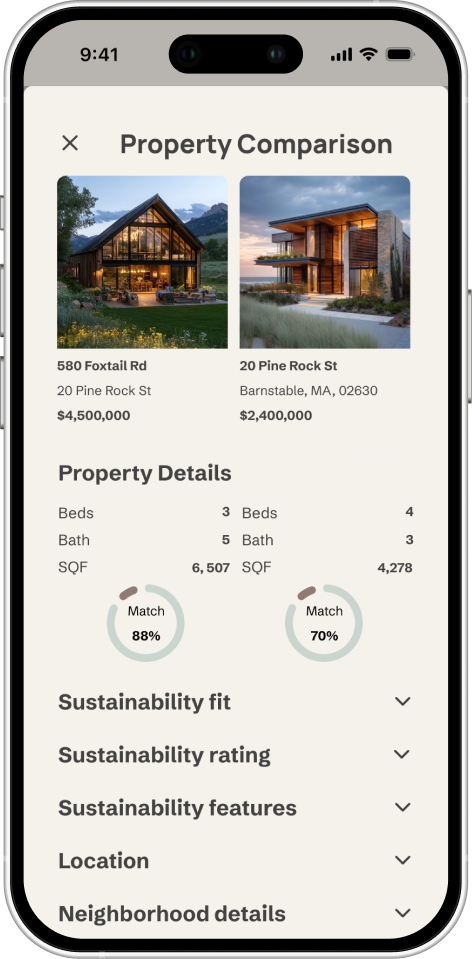
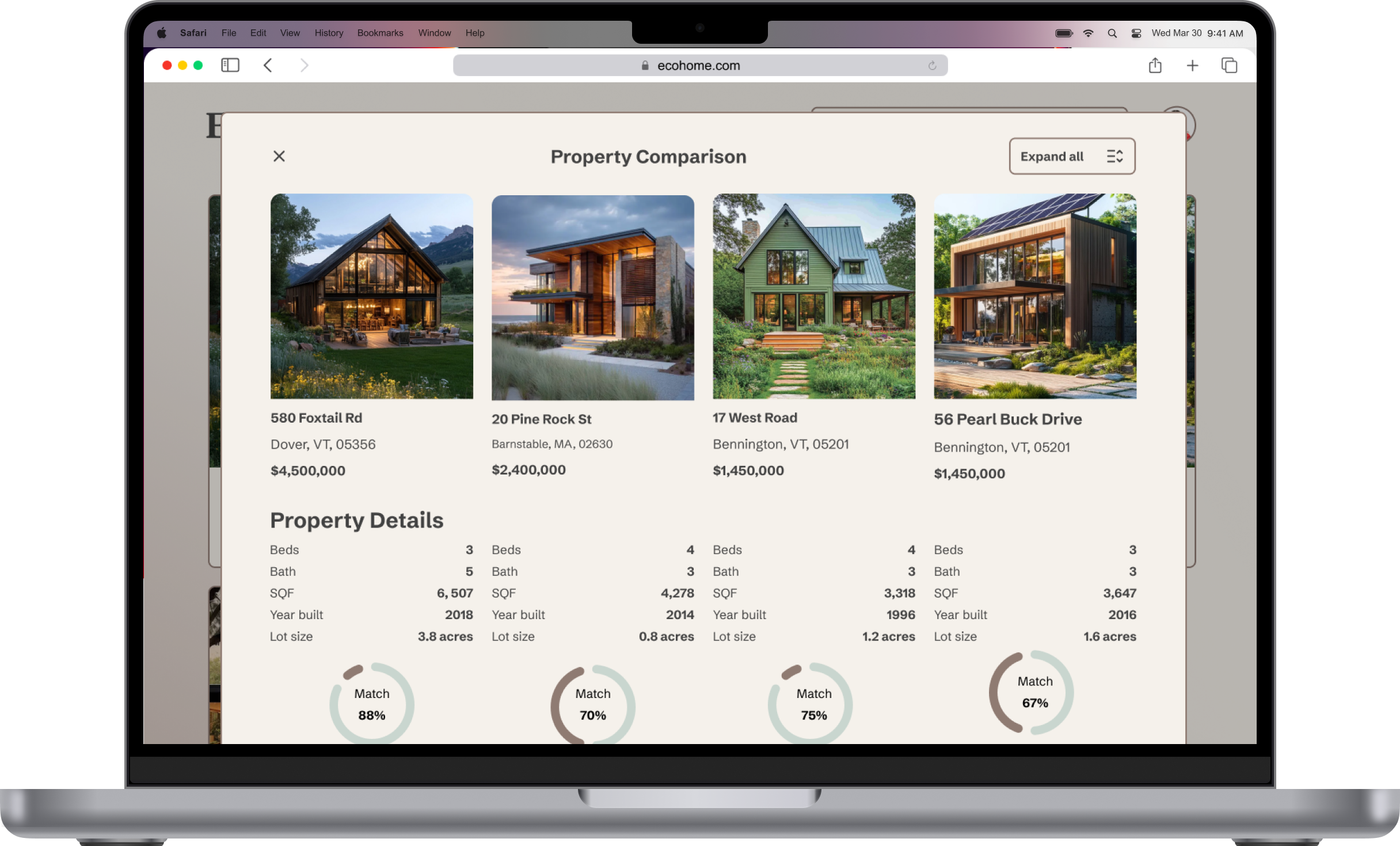
Structurally, the comparison screen was the most complex interface to solve — traditional real estate platforms often force users to bounce between separate tabs, breaking browsing momentum. I resolved this by grouping information side-by-side by dimension — comparing energy efficiency metrics directly, for example — rather than making users view individual property profiles sequentially. This keeps users anchored to their active search context while allowing them to evaluate critical trade-offs in real time.
FINAL MOBILE EXPERIENCE
The final mobile screens represent the complete end-to-end experience — from onboarding and criteria setting through property discovery, listing detail, comparison, and tour scheduling. Every screen was designed to carry only what the user needs at that moment, with progressive disclosure used throughout to manage complexity without hiding important information.
Onboarding + Discovery
Home Listing + Tour + Contact
Property Comparison
EXPERIENCE ECOHOME AI
Explore the full end-to-end flow — from onboarding to property comparison — in the interactive prototype.
MOODBOARD
Before any UI decisions were made, I created a moodboard to establish the visual direction. The reference material pointed consistently toward warmth, materiality, and trust — natural textures, muted earth tones, clean typography with weight. The goal was a product that felt grounded and credible rather than tech-forward, reflecting the emotional weight of a home purchase alongside the rational one.
MOTION + INTERACTIVE ELEMENTS
Motion in EcoHome AI was used purposefully — not decoratively. Every animated interaction was designed to reduce uncertainty, confirm an action, or guide attention at a moment where clarity matters most.
Message Sent
A subtle confirmation that surfaces on successful message delivery, keeping the user in flow without interrupting their browsing experience. The animation closes automatically — signaling completion without demanding attention.

Favorite + Unfavorite
A paired interaction showing both the save and remove states — giving users clear, tactile feedback at each end of the decision. Together they demonstrate a complete interaction loop: a property is saved for consideration, then removed as the shortlist is refined.
DESIGN SYSTEM
Clarity is a design decision.
Every token, component, and pattern in this system exists to make complex data easier to understand — not easier to ignore.
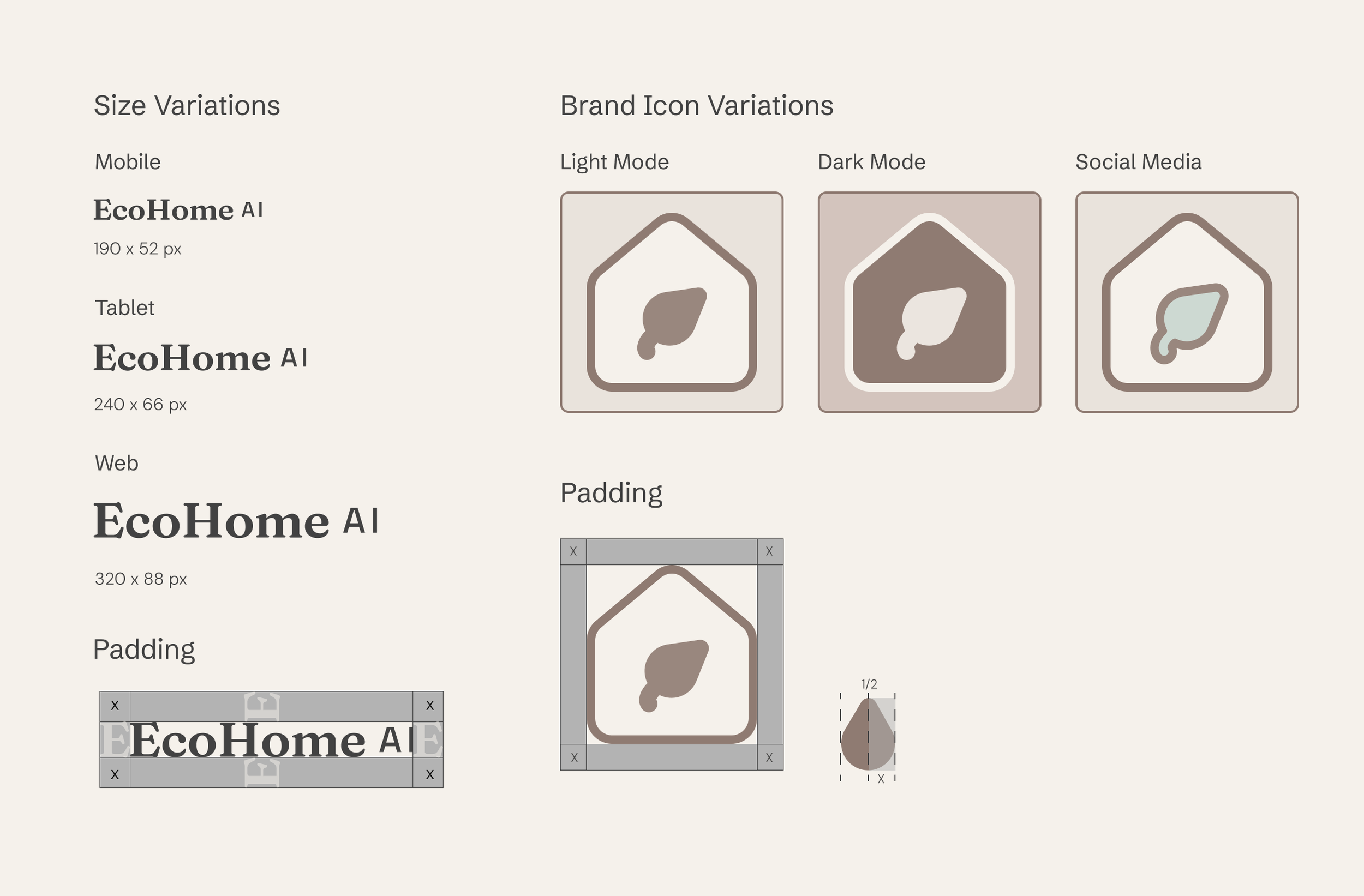
Logo + Brand Icon
Typography
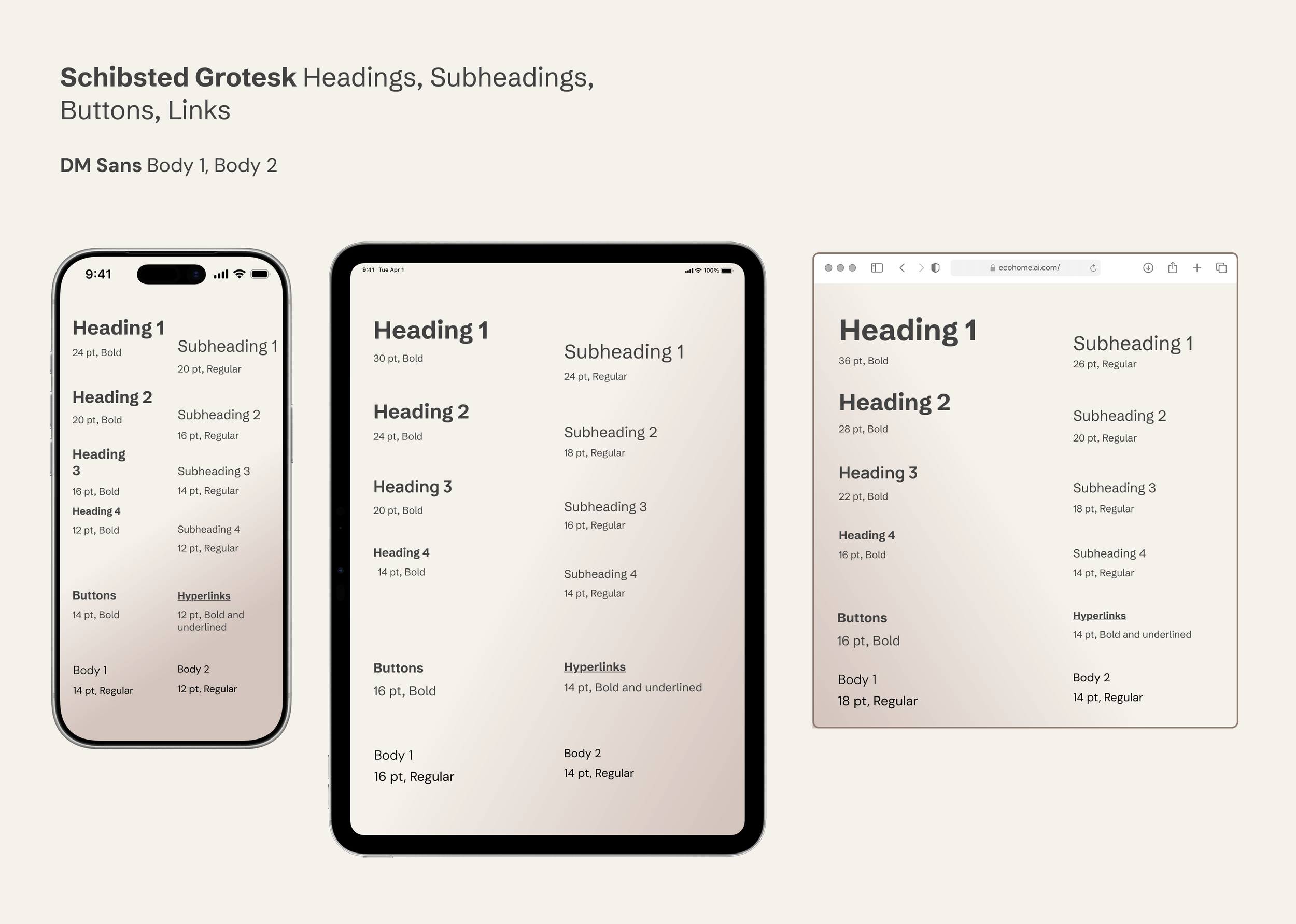
Two typefaces, one system. Schibsted Grotesk anchors headings and interactive elements with structured weight, while DM Sans keeps body text approachable and readable. The scale adapts responsively across breakpoints, preserving hierarchy without sacrificing clarity at any breakpoint.
Color
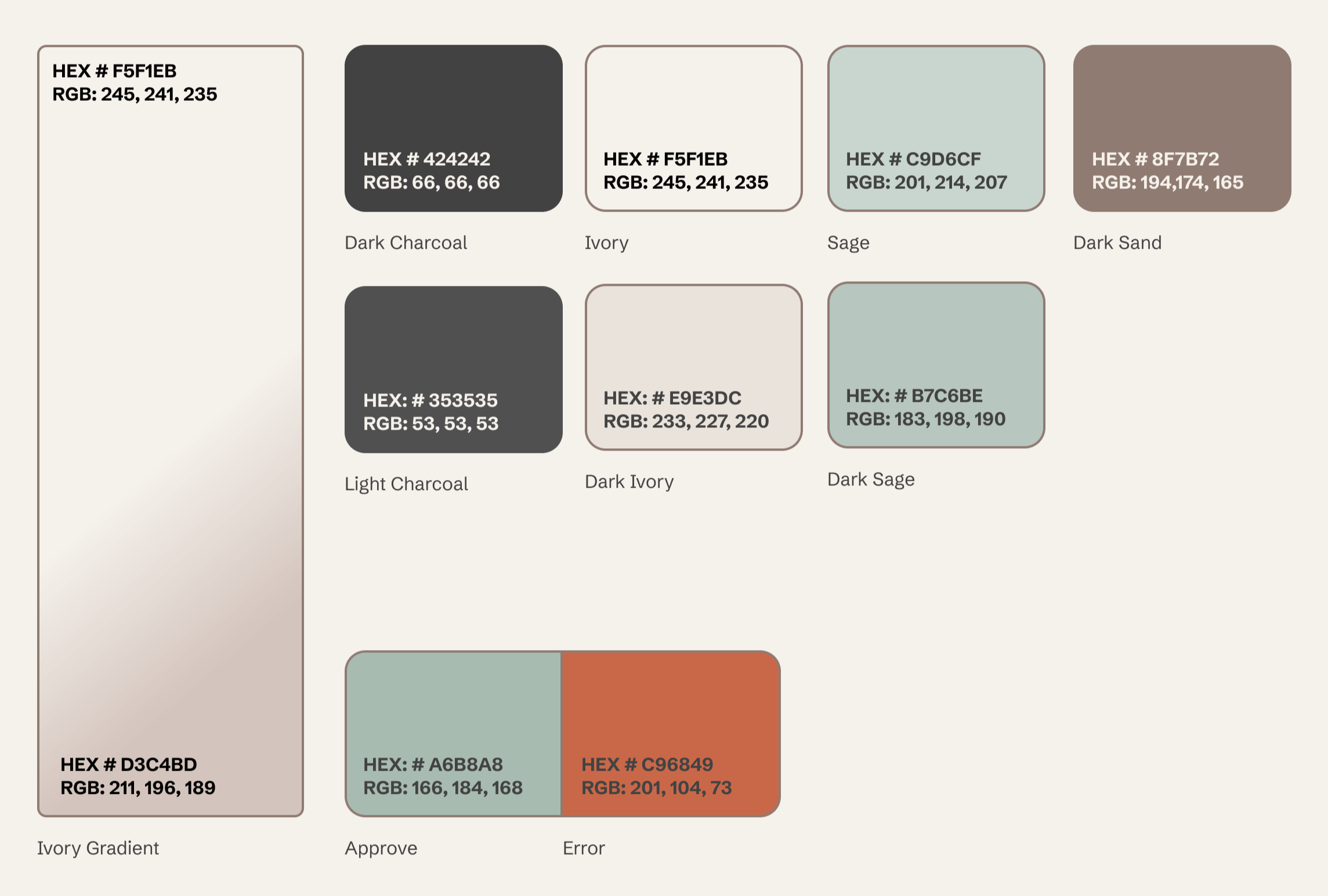
An earthy, grounded palette built for trust. Primary tokens establish the warm neutral foundation, secondary colors add depth without distraction, and system status colors communicate feedback clearly.
All text and core UI pairings meet WCAG 2.1 AA contrast standards — many exceed it.
Imagery
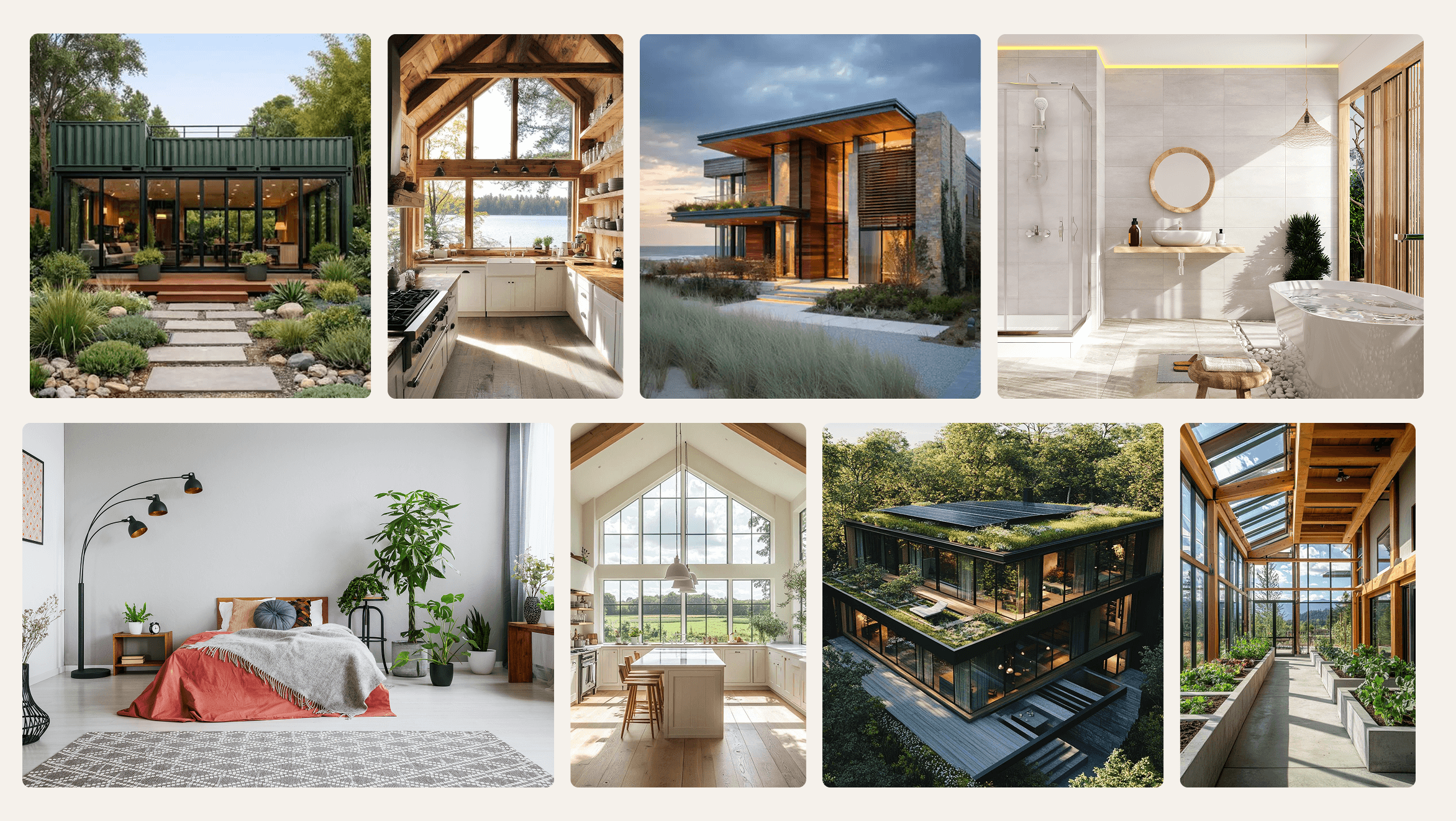
Image guidelines prioritize natural light, honest representation, and sustainability features shown in context — never staged. Every approved image is chosen to help buyers see the space clearly and feel confident in what they're evaluating.
Iconography
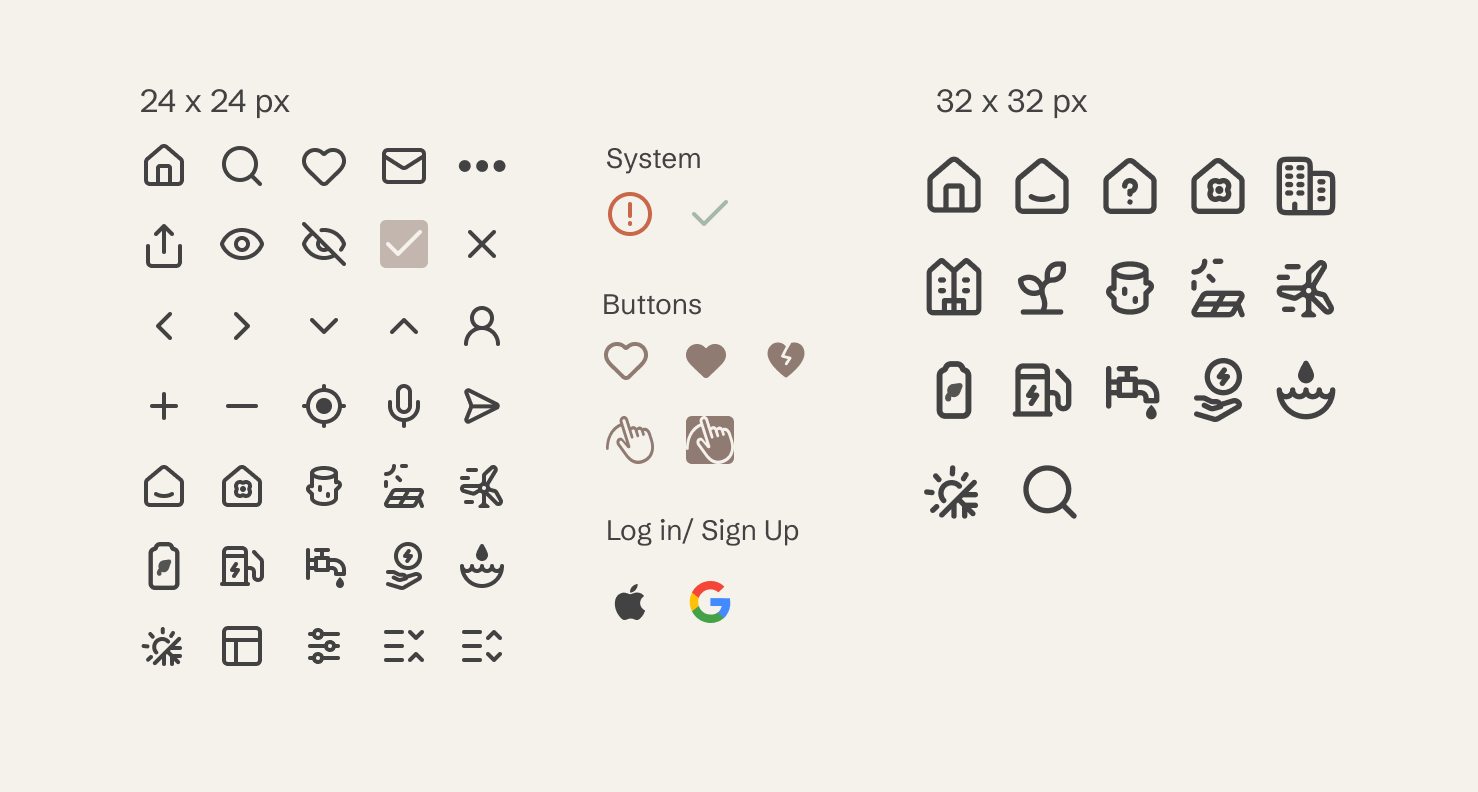
Familiar icons support quick scanning. For sustainability symbols that aren't universally recognized, every icon is paired with a clear label. This ensures users always understand what they're selecting, regardless of their prior sustainability knowledge.
UI Elements
RESPONSIVE LAYOUTS
EcoHome AI was designed mobile-first and scaled responsively across tablet and desktop. The key principle throughout was that responsive design means adapting information density — not just resizing layouts. Mobile surfaces the most essential information. Tablet introduces supporting context. Desktop unlocks the full comparison and map experience. Each breakpoint was designed as its own considered layout, not a derivative of the others.
REFLECTION
The most valuable takeaway from this project wasn't a new technical skill, but a validation of a core principle: establish the right architectural foundation before touching the aesthetics. When designing for data-dense interfaces — incorporating sustainability scores, operating cost breakdowns, and long-term value metrics — it is tempting to solve friction with purely visual band-aids. Resolving the information architecture first ensured that every subsequent visual decision was streamlined, intentional, and defensible.
This project also reinforced that true responsive design is behavioral, not just mechanical. Mobile, tablet, and desktop users interact with real estate data under entirely different contexts and mindsets. Designing for these distinct mental models — rather than simply resizing layout containers across breakpoints — is what makes the platform feel cohesive and considered.
If I were to continue developing EcoHome AI, my immediate focus would turn to two areas:
Validating Eco-Literacy: Conducting broader usability testing with a larger pool of active homebuyers to stress-test the sustainability scoring system across varying levels of environmental literacy.
Expanding the Search Engine: Building out the end-to-end Search experience across all three breakpoints. As the most structurally complex part of the product, this area offers the highest opportunity to truly differentiate the platform from legacy real estate giants.